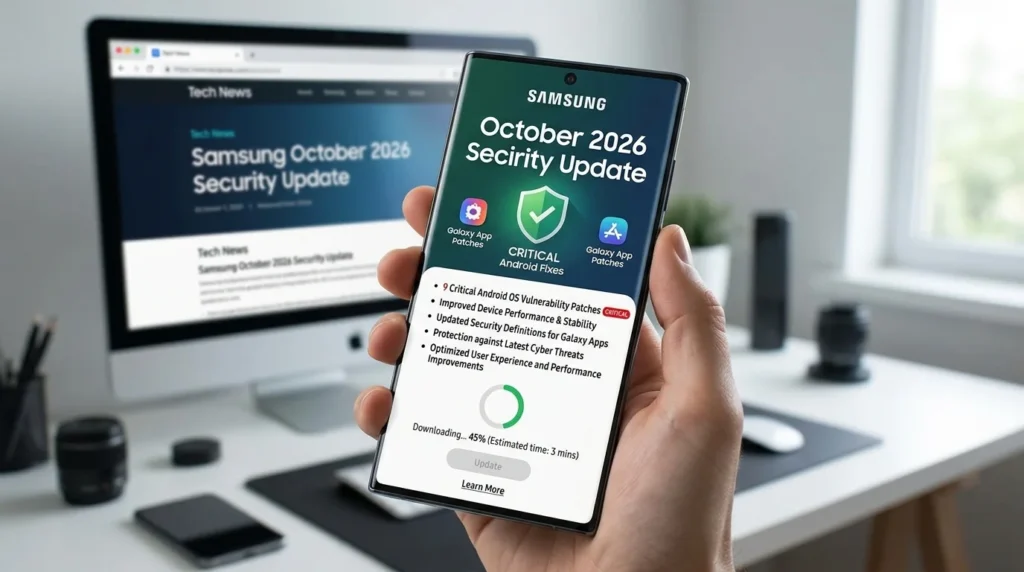
Samsung’s October 2026 Galaxy security update addresses nine critical Android vulnerabilities alongside dozens of other Android, Samsung-specific and chipset issues. The company published its October Security Maintenance Release (SMR) bulletin on October 6, 2026, following Google’s Android Security Bulletin on October 5. The same day, Samsung separately documented security fixes for several Galaxy apps. The practical takeaway: check both your phone’s software update screen and its app updates, but do not assume every Galaxy handset has already received the October package.
October 2026 Galaxy security update: key points
- Android fixes: Samsung lists nine critical, 33 high-severity and three moderate Android CVEs for this SMR.
- Galaxy-specific fixes: Samsung documents 27 SVE items, while warning that some may have been incorporated in earlier maintenance releases.
- Chipset fixes: Four high-severity Samsung Semiconductor CVEs appear in the bulletin; hardware applicability matters.
- Apps also need attention: Samsung Internet, Smart Switch, Samsung Account, Checkout and Flow have separate resolved-version notices.
- Rollout is phased: Independent reporting dated October 7 describes the Galaxy Z Fold8 series and Z Flip8 receiving the patch in Europe and India after South Korea.
What is in Samsung’s October 2026 patch?
Samsung’s bulletin is a consolidated maintenance notice, not a promise that all listed vulnerabilities affect every model. Google’s Android CVEs, Samsung’s own SVEs and semiconductor advisories can apply to different components and Android versions. Some entries may overlap with protections already shipped on a particular handset. For that reason, adding all headline numbers together would overstate the number of new, distinct fixes each user receives.
| October 2026 bulletin item | Confirmed detail |
|---|---|
| Google Android CVEs included in Samsung’s October SMR | 9 critical, 33 high and 3 moderate items are listed in Samsung’s October 6 bulletin. The count is a list of fixes, not a claim that every Galaxy model is exposed to every CVE. |
| Samsung-specific SVE items | Samsung says its October maintenance release covers 27 SVE items; some were already included in previous maintenance releases and some descriptions are not yet public. |
| Samsung Semiconductor CVEs | 4 high-severity CVEs are identified separately. Their relevance depends on device hardware. |
| Google’s October Android bulletin | Published October 5, 2026; describes vulnerabilities addressed by the 2026-10-01 security patch level. |
| Separate Galaxy app updates | Samsung’s October 6 application bulletin lists resolved versions for Samsung Internet, Smart Switch, Samsung Account, Checkout and Flow. |
| Availability | Rollout varies by device, region and carrier. Reports on October 7 describe the Galaxy Z Fold8 series and Z Flip8 expanding to Europe and India. |
Google describes the most severe issue in its October Android bulletin as a critical System-component vulnerability that can permit local escalation of privilege without additional execution privileges or user interaction. The bulletin also includes serious denial-of-service and other vulnerabilities. Severity describes potential impact under the advisory’s assumptions; it does not establish that a particular issue is being exploited in the wild.
Four Samsung-specific vulnerabilities worth understanding
These examples are drawn from Samsung’s October 6, 2026 firmware bulletin. They show why monthly maintenance matters beyond visible One UI features. The precise exposure depends on the affected Android version, installed components and whether a device has already received the relevant fix.
| Example issue from Samsung’s bulletin | What the advisory actually says |
|---|---|
| SVE-2026-1758 / CVE-2026-21114 | An out-of-bounds write in a Samsung media extractor could permit local arbitrary-code execution on affected Android 14–17 builds. Samsung added input validation. |
| SVE-2026-2881 / CVE-2026-21120 | A use-after-free issue in the WSM service could allow local code execution with system privileges. The advisory does not describe this as a universal remote attack. |
| SVE-2026-3021 / CVE-2026-21122 | A Samsung text-to-speech library memory-safety issue could permit local arbitrary-code execution on affected versions. |
| SVE-2026-2808 / CVE-2026-21118 | A DownloadProvider access-control weakness could let a local attacker access scoped-storage files. Samsung says it removed unused code. |
Other disclosed October issues involve HEIF image processing, Locksettings, audio decoding and permissions. Some SVE descriptions are withheld by Samsung at publication time. None of the disclosed examples above should be misrepresented as a confirmed internet-wide compromise of Galaxy phones. The published attack prerequisites differ.
Samsung app security updates: versions to check
Firmware security patches and app security patches are not the same delivery channel. Samsung’s separate October application bulletin lists the following fixed versions. A listed version is a minimum resolved version for the named advisory, not proof that the update is available in every region or app distribution channel on October 8.
| App / service | Bulletin-listed resolved version | Why the fix matters |
|---|---|---|
| Samsung Internet | 30.0.5.24 | Fixes an input-validation issue that could permit script injection when a user interacts with malicious content. The bulletin separately lists an older local-access issue resolved in 30.0.5.6. |
| Smart Switch | 3.7.73 | Addresses improper authorization that could allow an attacker with physical access to install apps. |
| Samsung Account | 15.7.01.1 | Corrects an exported-component permission issue that could expose sensitive data to a local attacker. |
| Samsung Checkout | 5.1.03.1 | Corrects several activity-validation problems that could let local attackers launch activities with Checkout privileges. |
| Samsung Flow | 4.9.22.4 | Addresses privilege and authentication problems; a separately listed clipboard path-traversal flaw was resolved in 4.9.22.1. |
Check available updates through Galaxy Store and, where applicable, Google Play. An installed version newer than a bulletin’s resolved version generally includes that particular correction, but app version numbering and availability can differ by market. In particular, a monthly Android patch level alone does not prove that Samsung Internet or Smart Switch is up to date. The Samsung Gallery and Google Photos sync changes are another example of app/service developments that should not be confused with Android firmware security patches.
Which Galaxy phones are receiving the October patch?
Samsung does not provide a single worldwide, same-day release date for every supported Galaxy phone. Its security bulletin states that delivery varies by model and region and can be affected by operating-system upgrades and vendor patches. Reports published October 7 indicate that the Galaxy Z Fold8, Z Fold8 Ultra and Z Flip8 October security update is expanding beyond South Korea to markets including Europe and India. SamMobile reports an approximately 537 MB package and firmware F9763XXS3AZIJ for the Fold8 in the markets it checked. Those details must not be generalized to every model or carrier.
Some Galaxy S26-series devices have also been reported as early recipients, but a report for one country or variant does not establish global availability. The Android security patch level, firmware identifier and file size may differ between carrier and regional variants. Owners tracking the Galaxy S26 One UI 9 rollout should distinguish a major OS upgrade from a smaller monthly maintenance release. Likewise, the earlier Galaxy S25 and Fold7 One UI 9 roadmap is not a definitive October security patch schedule.
How to check and install the update safely
- Open Settings > Software update > Download and install on your Galaxy phone. If a package is available, read its changelog and security patch date.
- Use a stable connection, keep sufficient battery charge and back up important data before major upgrades. Do not download firmware from unfamiliar sites simply because another country received an update first.
- After installing, check Settings > About phone > Software information for the Android security patch level. Menu labels can vary with One UI version.
- Open Galaxy Store > Menu > Updates and update Samsung apps. Check Google Play updates for apps distributed there as well.
- If the October patch is not offered yet, check again later and consult your carrier or local Samsung support. Absence on October 8 is not by itself evidence of a broken phone.
A monthly security release is not a guaranteed fix for unrelated performance, battery or app bugs. For example, the separately reported YouTube freezing reports on some Galaxy devices should not be assumed resolved unless Samsung or an affected app developer confirms that fix. Likewise, not every Android 17 security bulletin item applies to Android 14, 15 or 16 devices.
Why the patch matters more than the vulnerability count
Two Galaxy owners can both install an “October 2026” update and receive different device-specific components. The most useful checks are whether the phone is still supported, which security patch level it actually reports, whether Samsung’s relevant fixes are included, and whether individual Samsung apps have updated. The number of CVEs in a bulletin is not a measurement of how unsafe any one device was before patching.
Samsung’s October advisory covers local code execution and data-access weaknesses as well as Android platform flaws. Some require local access, physical access or another prerequisite. Those conditions do not remove the need to patch, but they are important context when evaluating alarming claims about “critical” vulnerabilities. For organizations managing fleets, recording the installed patch level per model and region is more reliable than assuming that a global announcement means all enrolled devices are protected.
Frequently asked questions
Does Samsung’s October 2026 update fix nine critical security issues?
Samsung lists nine critical Google Android CVEs in its October 6 SMR. It also lists high- and moderate-severity Android issues, 27 Samsung SVE items and four Samsung Semiconductor CVEs. The items applicable to an individual device depend on its software and hardware.
Is the October patch available for every Galaxy phone?
No universal rollout has been confirmed. Delivery depends on eligibility, model, carrier and region. Reports from October 7 document expansion for the latest Galaxy foldables in selected markets; they do not confirm all Galaxy models worldwide.
Will updating One UI also update Samsung Internet and Samsung Flow?
Not necessarily. Samsung publishes separate security advisories and resolved versions for apps. Check the installed versions and available Galaxy Store or Google Play updates in addition to firmware.
Does an October 2026 Android security patch mean I have One UI 9.5?
No. A monthly security patch and a major One UI feature upgrade are different releases. Verify the One UI version separately in Software information, and rely on an official model-specific rollout notice for major upgrades.
What if my Galaxy phone still shows a September security patch?
Check for an update manually and confirm your model’s support policy. Phased delivery can mean the October package has not yet reached your country or carrier. Avoid treating a rollout report for another variant as a guarantee for yours.
Related reading on PhoneSpecX
- Galaxy M08 and F08: specifications and six-year update commitments — why long-term support promises matter to buyers.
- Galaxy Z Fold8 AI camera features explained — feature changes are separate from security maintenance.
- Galaxy S26 US price changes — buying context for owners comparing upgrade costs.
Sources and References
- Samsung Mobile Security — SMR-OCT-2026 firmware bulletin (official, version 1.0 published October 6, 2026).
- Samsung Mobile Security — October 2026 app security updates (official, version 1.0 published October 6, 2026).
- Android Open Source Project — October 2026 Android Security Bulletin (official, published October 5, 2026).
- SamMobile — October 2026 Galaxy patch breakdown (independent reporting, updated October 6, 2026).
- SamMobile — Galaxy Z Fold8 and Z Flip8 rollout beyond South Korea (independent reporting, October 7, 2026).