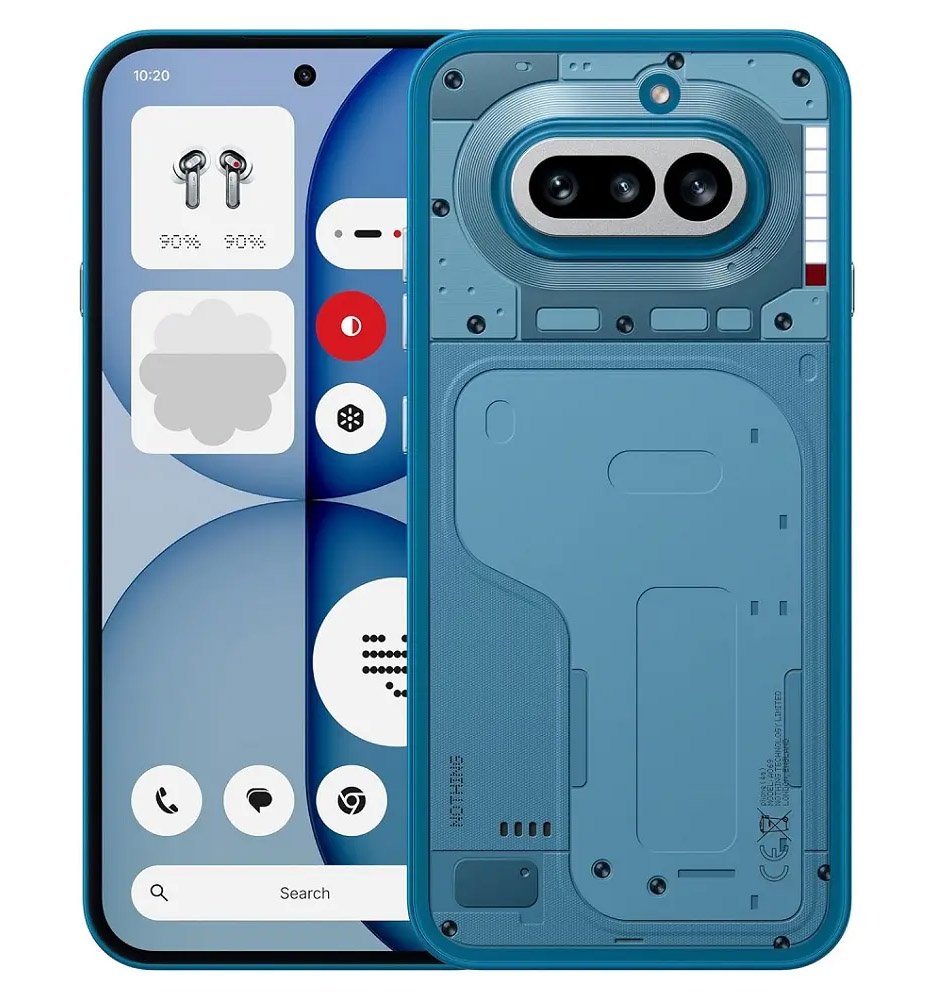
Nothing OS 5.0 adds deeper personalisation, redesigned controls, Essential Space upgrades and Android 17 features. The beta and stable rollout runs from August 2026 into January 2027.
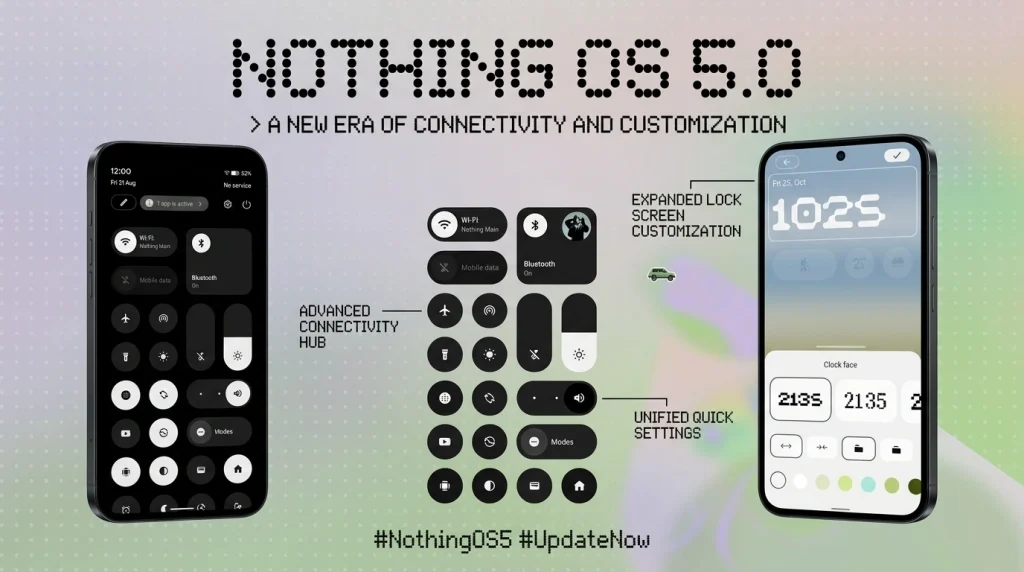
- Nothing OS 5.0 is based on Android 17 and introduces refreshed visuals, new clockfaces, redesigned controls and broader personalisation.
- Phone (3) received the first Open Beta on August 26, 2026, while other supported models follow in phases through December.
- Stable releases are scheduled from mid-October 2026 through mid-January 2027, subject to regional and carrier phasing.
- Phone (1), Phone (2) and CMF Phone 1 will not receive the update because Nothing says their major software-support period has ended.
Nothing OS 5.0 update summary
Nothing OS 5.0 is the company’s Android 17-based software update for its current phone lineup. Nothing describes the release around three themes: more control, deeper personalisation and a lighter, more expressive interface. It combines a redesigned homescreen and system visuals with new Glyph controls, Essential Space upgrades, improved performance and Android 17 privacy and sharing tools.
The rollout is not happening on every model at once. Phone (3) entered Open Beta on August 26, 2026, followed by Phone (4a) Pro in early September. Additional models join from late September through mid-December, while stable releases are scheduled between mid-October 2026 and mid-January 2027.
This timeline was checked against Nothing’s official OS page on September 13, 2026. The company labels the dates as indicative and says rollout timing can vary by region and carrier.
Eligible phones and rollout timeline
| Phone | Open Beta | General release |
|---|---|---|
| Nothing Phone (3) | August 26, 2026 | Mid-October 2026 |
| Nothing Phone (4a) Pro | Early September 2026 | Early November 2026 |
| Nothing Phone (4a) | Late September 2026 | Early November 2026 |
| Nothing Phone (3a) Pro | Late September 2026 | Early November 2026 |
| Nothing Phone (3a) | Late September 2026 | Early November 2026 |
| Nothing Phone (2a) | Mid-October 2026 | Mid-November 2026 |
| Nothing Phone (2a) Plus | Mid-October 2026 | Mid-November 2026 |
| Nothing Phone (3a) Lite | Not listed | Late December 2026 |
| Nothing Phone (4b) | Mid-December 2026 | Mid-January 2027 |
| CMF Phone 2 Pro | Not listed | Mid-January 2027 |
A dash in Nothing’s schedule means the company has not listed an Open Beta for that model, not that the stable update is cancelled. Owners can follow the relevant stable release window instead. Readers can review the hardware behind later rollout waves in our Nothing Phone (4b) specifications and CMF Phone 2 Pro guide.
A refreshed homescreen and system design
The visual update adds wallpaper-aware colours, tinted app icons and transparent widgets. Nothing is also introducing a new Geist typeface, updated icons and refined layouts across Settings, Camera, Gallery and the status bar. The company says motion has been smoothed across the interface.
Two new clockface styles are highlighted. Gooey uses a bolder, playful appearance, while Micrographics presents more information with a hardware-inspired design. More colour choices are also planned. Nothing notes that the refreshed homescreen and Micrographics clockface are not included in the initial Open Beta; they are due with the general release starting in October.
That distinction matters for beta testers. Installing an early build will not immediately provide every feature shown on the OS page, and some additions will arrive independently through app updates.
Glyph controls, Collector and Away Time
Nothing OS 5.0 expands the company’s distinctive interface tools. A new Glyph Timer can start countdowns from the homescreen, while a dedicated Glyph App gathers related settings in one place. The update should reduce the number of menus needed to manage the lighting interface.
Collector turns selected photos into homescreen stickers, creating a visual collection of people, places and objects. Away Time focuses on digital wellbeing: it begins counting when the phone is put down and tracks longer breaks and weekly patterns.
Homescreen batch editing is another practical change. Users can move multiple apps and widgets together instead of rearranging every item individually. Bluetooth controls have also been redesigned in Quick Settings to make nearby-device connection and disconnection faster.
Essential Space and Essential AI changes
Smart Collections automatically group related captures in Essential Space, supported by improved search and a redesigned capture flow. Nothing also lists MCP support so compatible AI tools can securely access information that a user selects from Essential Space.
Essential Voice gains real-time text while recording, cleaner formatting, improved summaries and transcription in more than 100 languages. Users can customise the Essential Key, and supported Nothing Ear hardware can capture audio through Super Mic.
Essential Apps Builder lets users describe a simple tool in natural language and launch the result from the homescreen. Nothing calls this an early beta with gradual access, so it should not be treated as universally available on day one. MCP support is planned around October, the redesigned capture experience begins rolling out in November, and real-time translation in Essential Voice is planned for later in 2026.
Android 17 features included
Nothing OS 5.0 incorporates Android 17 changes alongside the company’s own interface. Users can split notifications and Quick Settings into separate spaces. Quick Share can transfer files to nearby Android devices or generate a QR code that lets iPhone and other-device users download through a secure web link.
Privacy indicators and permission controls have been updated to make camera, microphone and location access easier to understand. Nothing also lists improved screen recording, Noto 3D emoji, an expanded Dark Theme, independent Assistant volume, brighter HDR content and a redesigned Recents screen.
The company says app launches, scrolling, touch response and multitasking have been improved. Better memory management is intended to reduce unnecessary app reloads, although real gains will vary by phone, available memory and the maturity of each build.
How to join the Open Beta
Nothing requires the latest stable Nothing OS build and Nothing Beta Hub V2.0. After installing the hub, open Settings > System > Nothing Beta Hub, tap Check Version, then choose Join Beta. When the build is available for the device, select Go to Update.
If that shortcut does not work, Nothing advises checking Settings > System > System updates manually. The beta may take up to five minutes to appear after registration. If a stable update is shown first, install it and check again.
Required base builds differ by model, so users should consult the current list on the official Nothing OS 5.0 page before joining. The Open Beta access channel remains open for seven days for each wave, which makes the timing more restrictive than an ordinary stable update.
Beta risks, backup and rollback
The Open Beta is pre-release software. Nothing warns that it may contain bugs or affect stability, battery life and performance. A phone can also run warmer and use more power temporarily after updating while background optimisation finishes.
Back up photos, contacts, messages, call logs and other important data before installation. Joining the beta itself is not designed to erase data, but the possibility of software failure makes a current backup essential.
Nothing Beta Hub V2.0 handles rollback through a system OTA rather than requiring a manual package. However, rolling back erases all phone data. A rollback request remains valid for 48 hours and may take up to five minutes to sync. Users should only confirm the downgrade after verifying that their backup is complete.
Phones that will not receive Nothing OS 5.0
Nothing says Phone (1), Phone (2) and CMF Phone 1 have reached the end of major software support and will not receive Nothing OS 5.0. That is a major-version cutoff; it does not necessarily describe the timing of every remaining security or maintenance update.
For supported models, feature availability can still differ. Hardware-specific functions such as Glyph controls depend on the device, while Essential Space updates may arrive separately through Google Play. Owners of the current midrange generation can compare their hardware with our Nothing Phone 4a Pro specifications.
What users should do now
Phone (3) and Phone (4a) Pro owners who are comfortable testing unfinished software can follow Nothing’s beta instructions after making a full backup. Everyone else should wait for the listed wave rather than installing packages intended for another model or region.
For a primary phone used for banking, work authentication or travel, the stable release is the safer choice. Regional and carrier phasing means an update may arrive after the headline month even when the model is eligible. Checking System updates periodically is enough; repeated manual installation attempts do not accelerate the server-side rollout.
Nothing OS 5.0 is a substantial update because it combines an Android 17 foundation with visible interface changes and expanded Essential tools. Its usefulness will depend less on the number of announced features than on how reliably those features arrive across the supported device range.
Final outlook
The published roadmap gives supported Nothing users a clear sequence: Phone (3) leads, the 4a and 3a families follow, the 2a models arrive later, and Phone (4b) plus CMF Phone 2 Pro close the schedule in January 2027. The phased approach gives Nothing time to address beta feedback before each stable wave.
The update’s strongest additions are practical rather than cosmetic alone: faster controls, batch homescreen editing, improved sharing, better privacy visibility and more capable Essential Space tools. Users should still treat every date as a target, keep backups current and wait for the correct build for their exact phone.