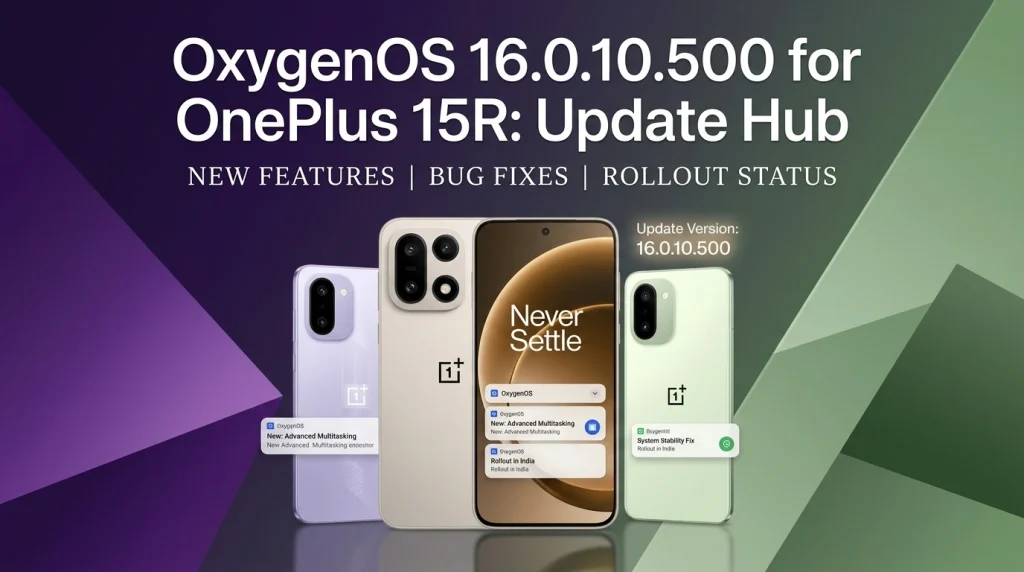
OnePlus is rolling out OxygenOS 16.0.10.500 to the OnePlus 15R in India, Europe, global markets and North America. The staged update adds creative tools, small interface shortcuts, security protections and a Camera orientation fix.
- OxygenOS 16.0.10.500 is an incremental OnePlus 15R rollout for India, Europe, global markets and North America.
- The update adds AI Remix Collage, direct image annotation in Notes and a gesture for clearing notification badges.
- Security changes include the August 2026 Android patch and stronger protection against suspicious Accessibility-service abuse.
- Availability is staged, so the update may not appear on every eligible phone at the same time and features can vary by region.
OnePlus 15R update summary
The OnePlus 15R OxygenOS 16.0.10.500 update is now moving through a wider regional rollout. OnePlus first posted the update on August 19, 2026 and edited its official notice on September 9 to include North America. India, Europe, global-market and North American OnePlus 15R variants are all named in the rollout notice.
This is an incremental release rather than a major operating-system jump. Its value is in a collection of practical changes: new creative tools, quicker home-screen cleanup, improved hidden-app handling, a Camera orientation fix and additional security protection. It also carries the August 2026 Android security patch.
Owners should still expect a staggered delivery. OnePlus says only a small percentage of devices receive an OTA at first before availability broadens. That approach lets the company monitor early rollout behavior, which means two phones in the same country may see the update on different days.
Eligible devices and regional build numbers
The official notice applies specifically to the OnePlus 15R. It does not say that the same package can be installed on the OnePlus 15, OnePlus 15T or older OnePlus models. Each region uses its own firmware identifier, so owners should match the code shown on their phone instead of downloading a package intended for a different market.
| Region | Official build identifier | Rollout status |
|---|---|---|
| India | CPH2767_16.0.10.500(EX01) | Incremental rollout |
| Europe / Global | CPH2769_16.0.10.500(EX01) | Incremental rollout |
| North America | CPH2771_16.0.10.500(EX01) | Added to the official rollout notice |
The build number matters because regional firmware packages can differ in certification, network configuration and bundled components. Use the updater built into the phone and avoid treating a screenshot from another market as proof that your own unit should already have the OTA.
What is new in OxygenOS 16.0.10.500
The update groups its visible changes across the home screen, Notes, Camera and Photos, hidden apps, and security. The most prominent addition is AI Remix Collage. OnePlus says it can extract subjects from videos, save them as animated stickers and place them into videos, motion photos or still images. It can also add animated outlines when creating a new motion photo.
Notes receives direct image annotation, allowing a user to mark up a picture without first moving it through a separate editor. On the home screen, a two-finger spread gesture can clear all app notification badges. These are modest additions, but they reduce the number of taps required for common organization tasks.
The release also improves the experience of using hidden apps. While a hidden app is open, users can swipe upward from the bottom edge toward the floating-window area in the upper-right corner to move that app into a floating window. The exact behavior may depend on the regional build and the window-management options enabled on the phone.
AI Remix Collage and Notes image annotation
AI Remix Collage is the update’s headline creative feature. Rather than limiting a captured subject to the source video, OxygenOS can turn that subject into an animated sticker for reuse. The official changelog describes several destinations: another video, a motion photo or a still picture that is converted into a more animated composition.
The feature is best understood as a built-in creative workflow, not a claim of professional editing quality. Results can vary with subject separation, motion and background complexity. Users concerned about privacy should review a feature’s on-device or cloud-processing notice when it first opens, especially before using personal video clips.
Direct annotation in Notes is simpler. It is designed for highlighting a detail, adding an explanatory mark or drawing attention to part of an imported image. Students, project teams and anyone who keeps visual reference notes may find this more useful day to day than the more playful collage tool.
Camera fix and everyday interface changes
OnePlus lists a fix for a Camera interface problem in landscape orientation. Before this release, some icons, text and menus could remain locked in portrait orientation even when the phone was held sideways. The update is intended to keep those controls aligned correctly with the Camera’s landscape view.
The two-finger badge-clearing gesture is another small interface improvement. Notification badges can accumulate even after a user has handled the underlying messages elsewhere. Clearing them together is faster than opening or dismissing each app badge individually. Because the action affects badges rather than the notifications themselves, users should still check the notification shade before clearing indicators they may need.
For a broader look at how the model fits into OnePlus’s current lineup, the site’s OnePlus 15 review covers the related flagship’s performance and battery priorities, while the OnePlus Nord 6 review provides a useful midrange point of comparison.
Security and privacy changes
OxygenOS 16.0.10.500 integrates the August 2026 Android security patch. Monthly patch labels do not mean every component was compiled on that date; they identify the Android security bulletin level incorporated into the build. Installing current security maintenance is generally more important than any single visible feature.
OnePlus also says Phone Manager can automatically block high-risk behavior, including suspicious abuse of Android Accessibility services. The system keeps a record of detected events and can display alerts. Accessibility permissions are powerful because legitimate assistive tools use them to read interface content or perform actions, but malicious apps may try to misuse the same access. A warning should prompt users to verify the app and why it needs that permission.
The update does not eliminate the need for basic precautions. Install apps from trusted sources, remove permissions that no longer make sense and keep Google Play system components updated. A security feature can reduce exposure, but it cannot make every unknown application safe.
Rollout timeline and availability
OnePlus published the update thread on August 19, 2026. The notice was edited on September 9 to add North American availability, so the current scope covers India, Europe, global-market units and North America. The company describes the rollout as batched: a limited group receives it first, followed by a broader release over the next few days if monitoring does not reveal a reason to slow it down.
There is no promise that every eligible phone will receive the update at an identical local time. Carrier approval, firmware region and staged deployment can all affect timing. If the Software Update screen reports that the phone is current, waiting for the official OTA is safer than installing an unverified download.
OnePlus also cautions that update content can vary by region. A feature shown in the common changelog may arrive with different availability or supporting services in a particular market. The installed build number and the changelog shown on the device are the most relevant references for an individual phone.
How to check for and install the update
Open Settings, choose System & updates, then open Software update and check for a new build. Menu wording can vary slightly by regional software. Confirm that the offered version matches the correct OnePlus 15R build for your market before downloading it.
Use a stable Wi-Fi connection if the package is large, keep adequate free storage available and charge the battery before installation. Backing up important photos, messages and authentication information is sensible before any system update, even though a normal OTA is designed to preserve user data.
After the restart, let the phone complete background optimization before judging battery life or temperature. System updates can temporarily trigger app compilation, indexing and account synchronization. If a problem persists beyond that settling period, record the build number and reproducible steps before contacting support.
Users in India can submit a bug report through the OnePlus Community app’s Bug Report section or use the *#800# feedback tool. OnePlus directs users in other regions to its feedback form; support staff may request more detail when logs cannot be attached through that route.
Known issues and what to watch
OnePlus’s official changelog does not publish a general known-issues list for this release. That absence should not be interpreted as proof that every configuration will behave identically. Apps, network settings, accessories and regional firmware can produce different outcomes, particularly during the first days of a staged rollout.
After updating, check the features that matter most to you: Camera rotation in landscape mode, notification behavior, Bluetooth connections, biometric unlock, charging and the apps that rely on Accessibility permissions. If Phone Manager blocks an action, inspect the named app and event rather than disabling protection immediately.
Community comments can reveal patterns, but isolated reports are not the same as a confirmed defect. Treat a claim as established only when it is reproducible across multiple devices or acknowledged by OnePlus. The official update thread remains the primary place to watch for rollout changes and revised guidance.
What OnePlus 15R owners should know
OxygenOS 16.0.10.500 is a worthwhile maintenance release because it combines an Android security patch with several changes users can notice. AI Remix Collage is the most marketable addition, while the Camera orientation fix, Notes markup and badge-clearing gesture may have more predictable everyday value.
The safest approach is straightforward: wait for the official OTA, verify the regional build, back up important data and install when the phone can remain connected to power and Wi-Fi. There is no need to force the update simply because another region received it first.
For owners who prioritize security, the Accessibility-service protection is the key change to understand. Pay attention to Phone Manager warnings and review permissions instead of reflexively allowing or disabling them. Combined with the August 2026 patch, that makes this update more than a collection of visual extras.