WhatsApp now officially requires Android 6.0 or newer. Its current supported-operating-systems guidance means phones still running Android 5.0 or 5.1 are outside the supported range. The practical issue is the operating-system version, not simply the age or model name of the phone.
What changed
WhatsApp’s current Help Center lists Android phones running Android 6.0 and newer as supported. The company says it periodically reviews older operating systems because they can lack newer security updates and functionality required by the service. Before an operating system loses support, WhatsApp says affected users are notified in the app and reminded several times to upgrade.
| Device software | Current WhatsApp status | What to do |
|---|---|---|
| Android 5.0 or 5.1 | Below the supported minimum | Check for an official OS update; otherwise plan to move WhatsApp to a supported phone. |
| Android 6.0 or newer | Meets the current Android OS requirement | Keep Android and WhatsApp updated where updates are available. |
| iPhone | Separate iOS requirement applies | WhatsApp currently lists iOS 15.1+ and says iOS 15.5+ will be required from November 30, 2026. |
How to tell whether your Android phone is affected
Check the Android version in your phone’s system settings, normally under Settings → About phone or a similarly named device-information screen. Menu wording varies by manufacturer. If the device reports Android 5.0 or 5.1 and no official upgrade to Android 6.0 or later is available, it no longer meets WhatsApp’s published Android requirement.
This is different from a list of specific handset models. A model that shipped with Android 5 may have received a later official update, while another device from the same era may have stopped at Android 5. The installed OS version is therefore the more reliable check.
What happens on an unsupported operating system
WhatsApp says users are warned before support ends. Once an operating system falls outside the supported range, users should not assume continued app operation, updates or registration will remain available. A phone that happens to open an old app build is not the same as an officially supported device.
WhatsApp also states that a phone used to register an account must be able to receive SMS messages or calls. That matters when moving an account to a replacement handset.
What Android 5 users should do
1. Check for an official software update
Look for a system update from the phone manufacturer. If Android 6.0 or newer is officially available for the device, install it before treating hardware replacement as necessary. PhoneSpecX’s coverage of OriginOS 7’s global rollout is an example of why update eligibility can differ significantly between devices and regions.
2. Protect important chats before changing phones
Use WhatsApp’s own backup or transfer options available on your device before moving. Confirm that the backup or transfer has completed rather than assuming messages are preserved merely because the account uses the same phone number.
3. Verify the replacement phone’s software support
A replacement does not need to be a current flagship, but buying another phone already near the end of software support can recreate the same problem. Longer support commitments increasingly matter alongside hardware specifications. For context, see PhoneSpecX’s coverage of Samsung Gallery’s Google Photos sync and OneDrive transition, where service changes also make data-management planning important.
Why WhatsApp drops old operating systems
WhatsApp says devices and software change frequently, so it reviews the oldest operating systems and those with the fewest users. The company specifically notes that older systems may lack recent security updates or functionality needed for WhatsApp. That makes the cutoff a platform-support decision rather than evidence that every affected phone has suddenly suffered a hardware failure.
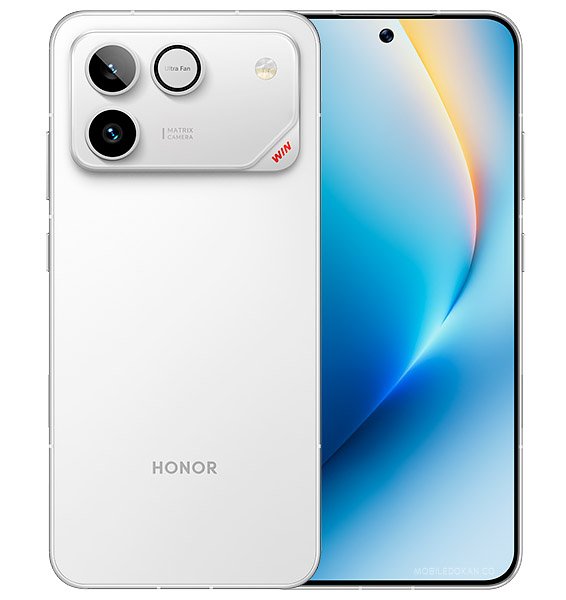
The wider smartphone market is moving rapidly toward newer Android generations; PhoneSpecX has also covered new-generation HONOR phones and their software features. Users keeping older hardware for many years should therefore consider app compatibility as part of the total useful life of a phone.
What this does not mean
The requirement does not mean every Android 5 handset stopped functioning as a phone, nor does it establish that all apps have the same minimum Android version. It also does not justify unofficial modified WhatsApp builds as a workaround. The confirmed point is narrower: WhatsApp’s own current support documentation starts at Android 6.0 for Android phones.
Frequently asked questions
Does WhatsApp officially support Android 5.0 or 5.1 now?
No. WhatsApp’s current Help Center lists Android 6.0 and newer as the supported Android range.
Do I automatically need a new phone?
Not necessarily. First check whether your manufacturer provides an official update to Android 6.0 or later. If the device cannot move beyond Android 5, a supported replacement phone is the practical route for continued official WhatsApp support.
Will the same cutoff affect iPhones?
Not through the Android requirement. WhatsApp has a separate iOS policy: its current page lists iOS 15.1 and newer and says the minimum will become iOS 15.5 on November 30, 2026.
Why does WhatsApp stop supporting old systems?
WhatsApp says it reviews older systems regularly because they may lack newer security updates and technical functionality required by the service.
Related reading
- OriginOS 7 Goes Global: Jovi AI, Five-App Multitasking and Vivo’s Performance Claims Explained
- Samsung Gallery Gets Google Photos Sync as OneDrive Deadline Nears
- Alibaba Qwen Intelligence Comes to HONOR Phones
Sources and References
- WhatsApp Help Center — About supported operating systems (current support guidance checked September 29, 2026).
- Beebom Gadgets — WhatsApp ending support for older Android versions (published April 27, 2026; corroborating reporting on the September cutoff).